
One agent. Every step of your sales process, handled.
From the first inquiry to the appointment scheduled, VenueX handles the work that gets in the way of hospitality, plus the tools your team needs to book more events.
Every inquiry, answered like you would.
VenueX replies across email, SMS, and website chat in about 10 seconds. Trained on your voice, your pricing, and your house rules so every message sounds like it came from your team.
- 01
Reply in about 10 seconds
The first venue to reply wins the appointment. The agent answers 24/7/365, even at 11pm on a Saturday.
- 02
On-brand, every time
Tone, signature, and language are matched to your team. No robotic templates, no copy-paste replies.
- 03
One thread per lead
Email, text, and chat stay stitched together so the agent and your team always see the full conversation.
- 04
Knows when to hand off
Sensitive or off-script moments get routed to a human with full context attached.
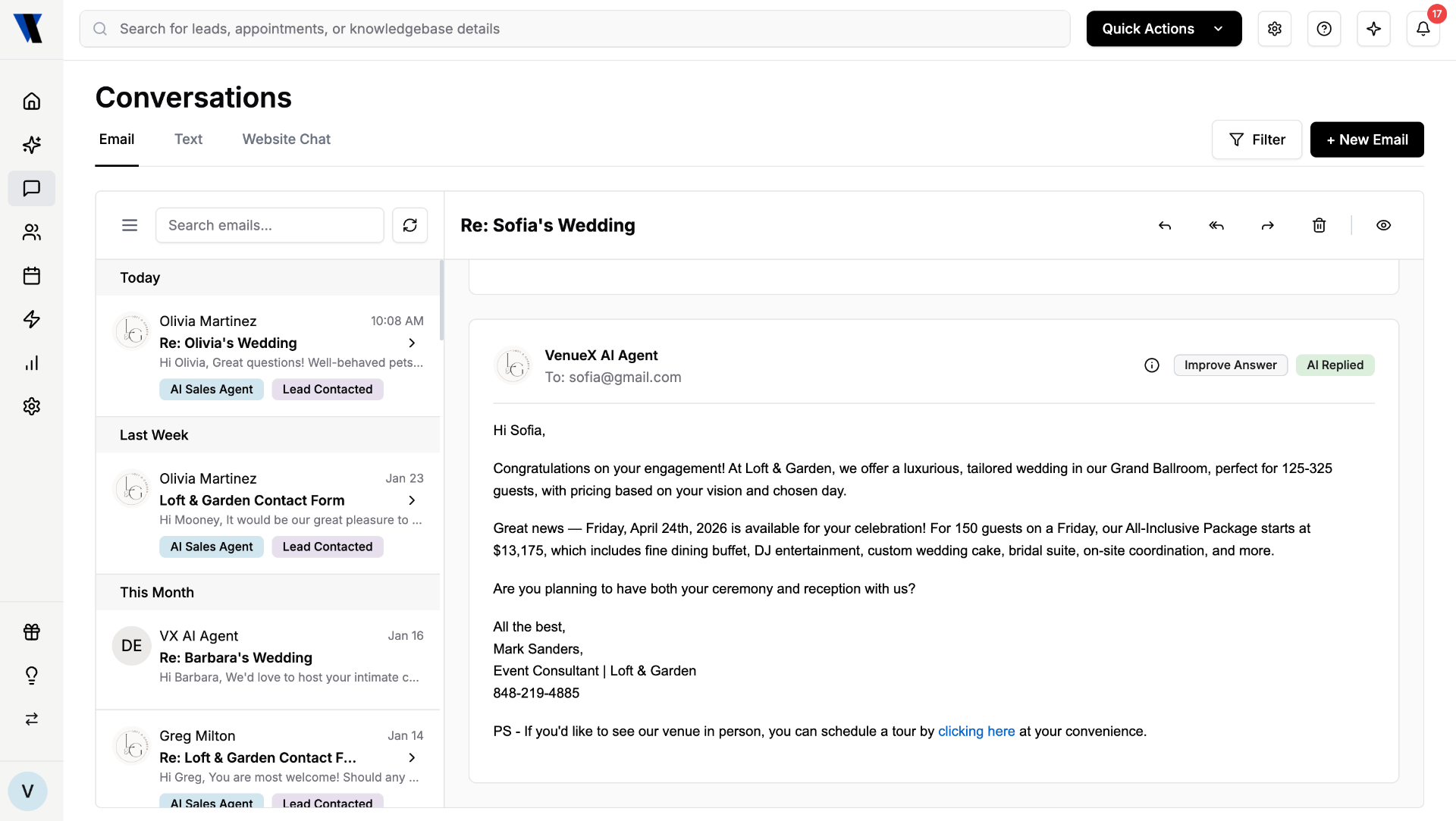
- ▸11:47pm: Inquiry from The Knot lands in inbox
- ▸11:47pm: Agent drafts a tailored reply
- ▸11:47pm: Sent. CC'd to sales@venue.com
- ▸8:12am: Lead replies. Appointment offered for Sat 2pm.
Appointments booked while you sleep.
The agent reads your real calendar, offers the right slots, and confirms appointments without a single back-and-forth from your team.
- 01
Live calendar awareness
Reads Google Calendar, Outlook, Tripleseat and Event Temple so it never double-books a appointment or a tasting.
- 02
Smart slot suggestions
Suggests the best three times based on your appointment blocks, blackout dates, and weekday preferences.
- 03
Auto-confirm and remind
Sends calendar invites, day-before reminders, and reschedule links to cut no-shows in half.
- 04
Round-robin for teams
Distributes appointments across your sales team by territory, fairness rules, or specialty.
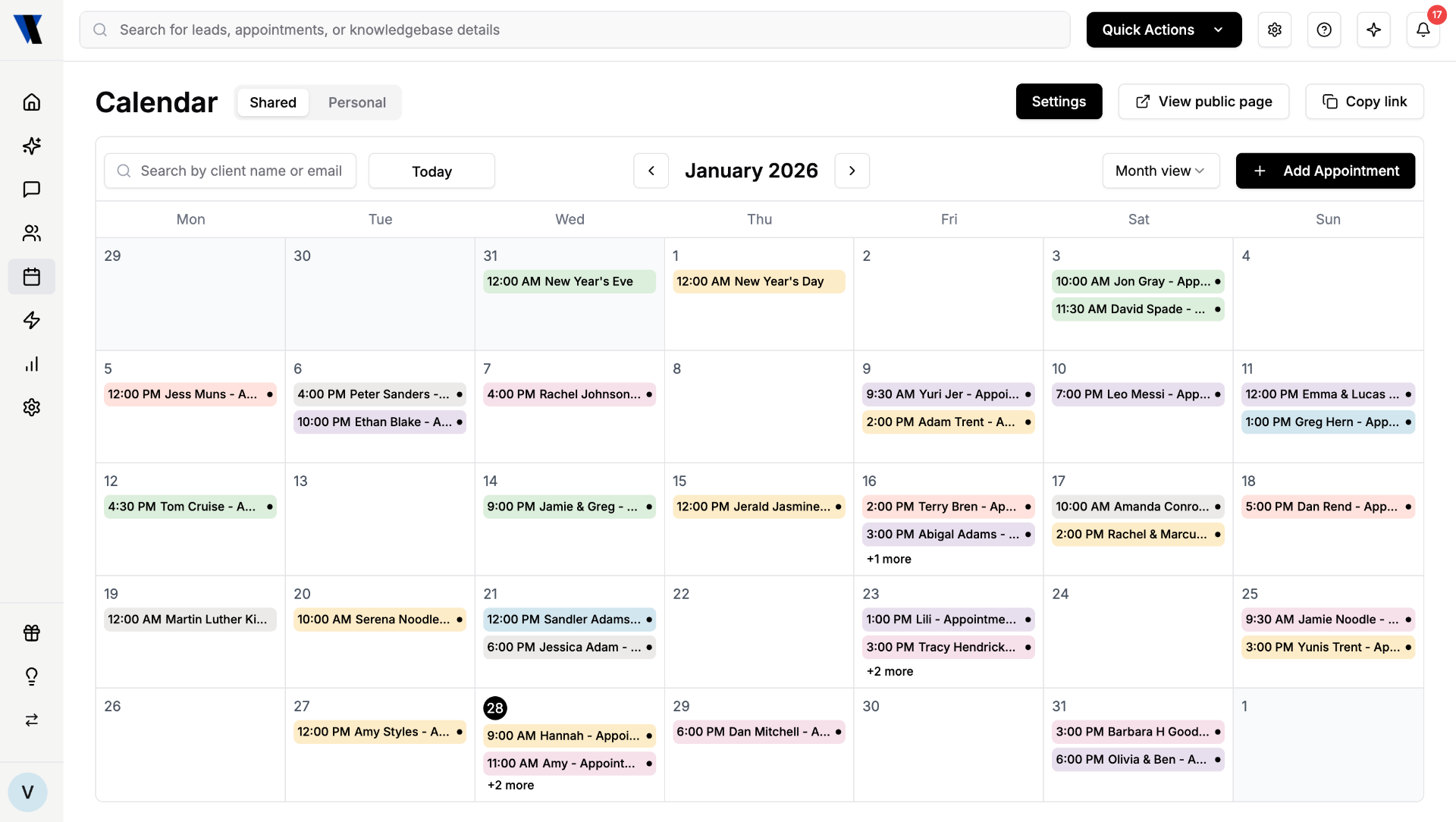
- ▸Offered: Sat 11am, Sat 2pm, Sun 12pm
- ▸Lead selected Sat 2pm
- ▸Invite sent to both partners and sales rep
- ▸Reminder queued · Friday 6pm
One source of venue truth.
Pricing tiers, capacity charts, vendor rules, parking notes, menu add-ons. The agent uses the same brain your top closer would, and you control every word.
- 01
Import in minutes
Drop in PDFs, BEOs, FAQ docs, or paste from your website. We structure it for the agent automatically.
- 02
Versioned and dated
Update Friday afternoon pricing and the agent honors it Monday morning. Old answers are archived, not lost.
- 03
Cite the source
Every answer the agent gives is traceable to the document it came from, so audits and disputes are simple.
- 04
Private by default
Your knowledgebase is isolated to your venue. Nothing is shared, trained on, or leaked across customers.
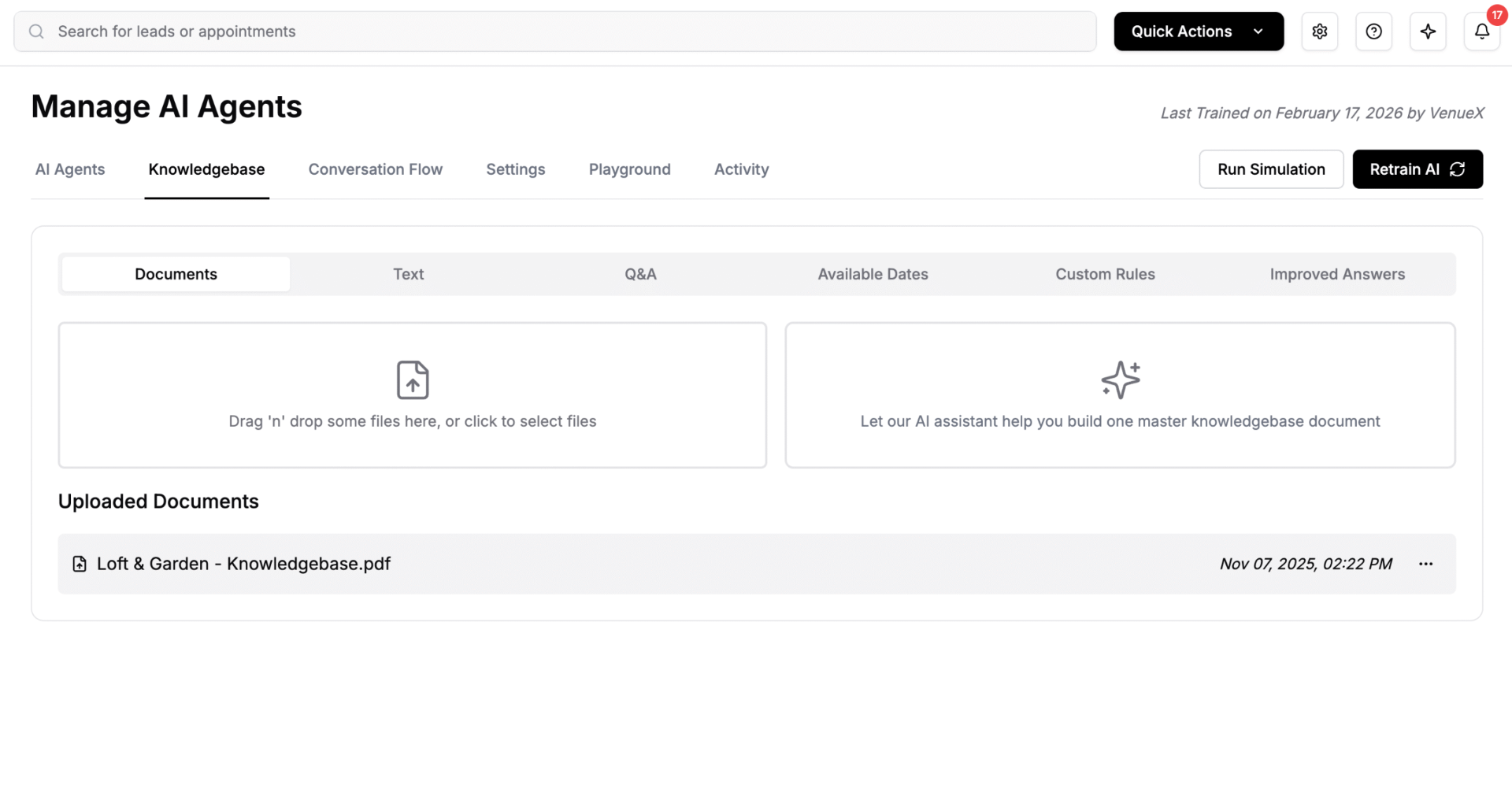
- ▸Pricing 2026 · updated 2 days ago
- ▸Vendor rules · v4 · approved by GM
- ▸Floor plan · ballroom and garden
- ▸FAQ · 47 entries · cited 312 times
Trust it because you tested it.
Before the agent answers a real lead, you can run it against hundreds of realistic inquiries and watch exactly how it responds.
- 01
Sandbox inbox
A safe environment where you can send the agent any inquiry and watch the full reply chain unfold.
- 02
Scenario library
Stress-test with hard cases: low-budget leads, vendor restrictions, off-season dates, last-minute weddings.
- 03
Side-by-side review
Compare the agent's reply with what your team would have written, then teach it the difference in one click.
- 04
Approvals before go-live
Require human sign-off on the agent's first 50 replies, or stay in full autopilot once you're confident.
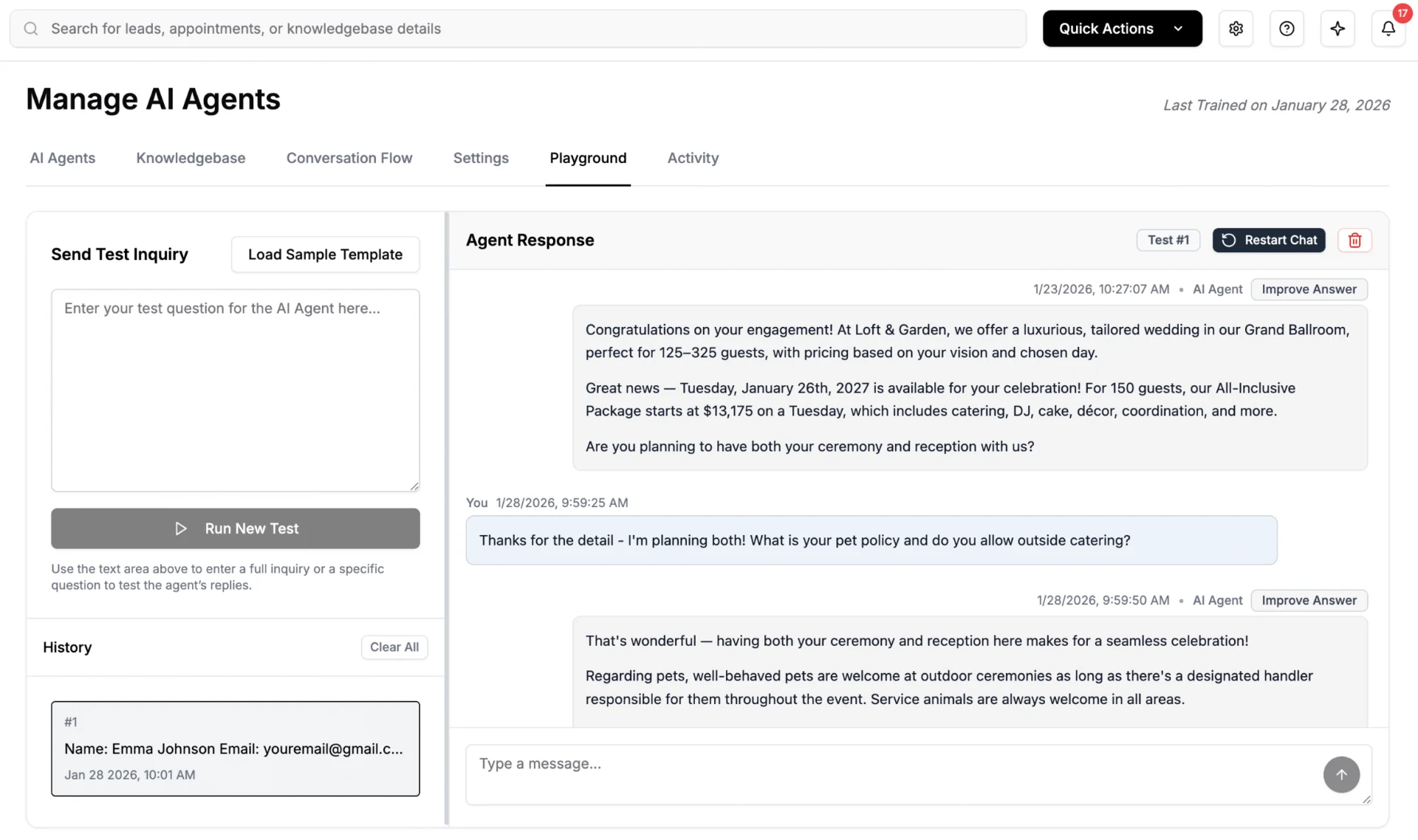
- ▸Scenario: Friday 200-guest wedding, $40k budget
- ▸Agent reply scored 92/100 · Tone match 96%
- ▸Edit suggested: soften pricing sentence
- ▸Saved as training note
Follow up without ever forgetting.
Drip campaigns, post-appointment nudges, anniversary touches. Build sequences once and the agent runs them with the same care a top salesperson would.
- 01
Visual sequence builder
Drag-and-drop steps for email, SMS, and tasks. Branch on whether the lead replied, attended, or went cold.
- 02
Triggered by behavior
Inquiry submitted, appointment booked, appointment completed, contract sent. Each event can start its own flow.
- 03
Seasonal campaigns
Q1 wedding-season nudges, off-season corporate pushes, holiday party blasts. All scheduled, all personalized.
- 04
Stops when it should
Replied? Booked? Opted out? The agent pulls the campaign automatically. No awkward third reminder.
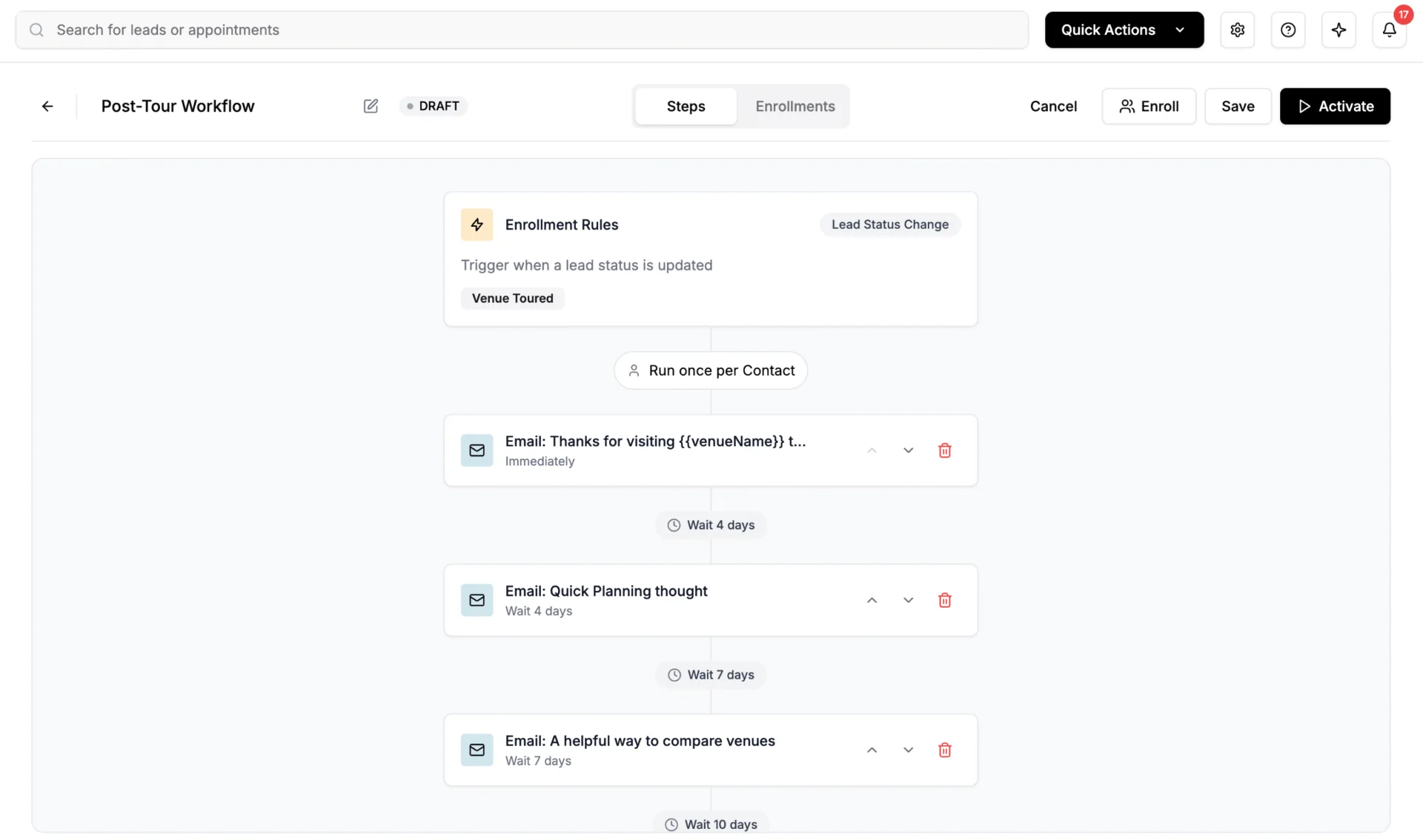
- ▸Day 0: Confirmation and parking note
- ▸Day -1: Reminder and weather forecast
- ▸Day +1: Thank-you and proposal link
- ▸Day +5: Soft nudge if no reply
Every lead, in one calm pipeline.
Inquiries from The Knot, WeddingWire, Zola, Tripleseat, your website and your inbox all land in one place, ranked by likelihood to book.
- 01
Auto-scored pipeline
Each lead is scored on budget fit, date availability, and engagement signals so your team works the right ones first.
- 02
Full conversation history
Every email, text, and chat lives on the lead record. No more digging through three inboxes for context.
- 03
Duplicate detection
If the same lead inquired three times across three channels, you see one lead, not three.
- 04
Syncs to your CRM
Two-way sync with Tripleseat, Event Temple, HubSpot and HoneyBook. Your CRM stays the source of truth.
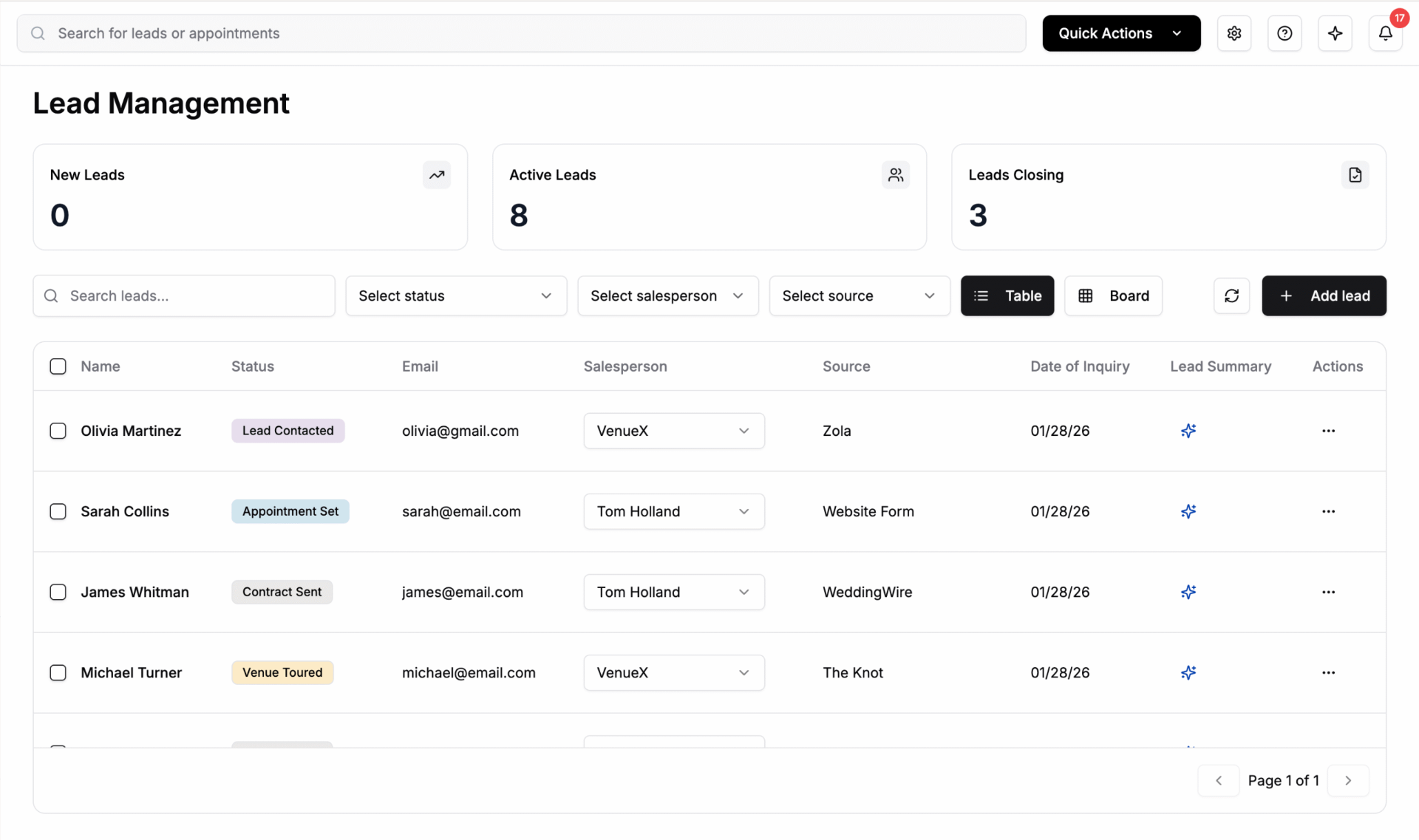
- ▸47 new this week · 12 hot · 8 attended
- ▸Top lead: Sat Oct 11 · score 94
- ▸Stale: 3 leads · 5+ days no reply
- ▸Synced to Tripleseat · 2 min ago
A second brain for your sales team.
Ask plain-English questions about your venue, your leads, or your numbers. Get answers in seconds, with the receipts.
- 01
Ask in plain English
"How many Saturdays are still open in October?" "Which leads from The Knot haven't replied?" Just type.
- 02
Pulls from your data
Inquiries, calendar, knowledgebase, and CRM are all queryable from one prompt. No SQL, no exports.
- 03
Drafts on demand
Ask it to write a proposal, a vendor email, or a Tuesday-morning recap. Edit, send, done.
- 04
Cited answers
Every fact links back to the lead, document, or calendar entry it came from.
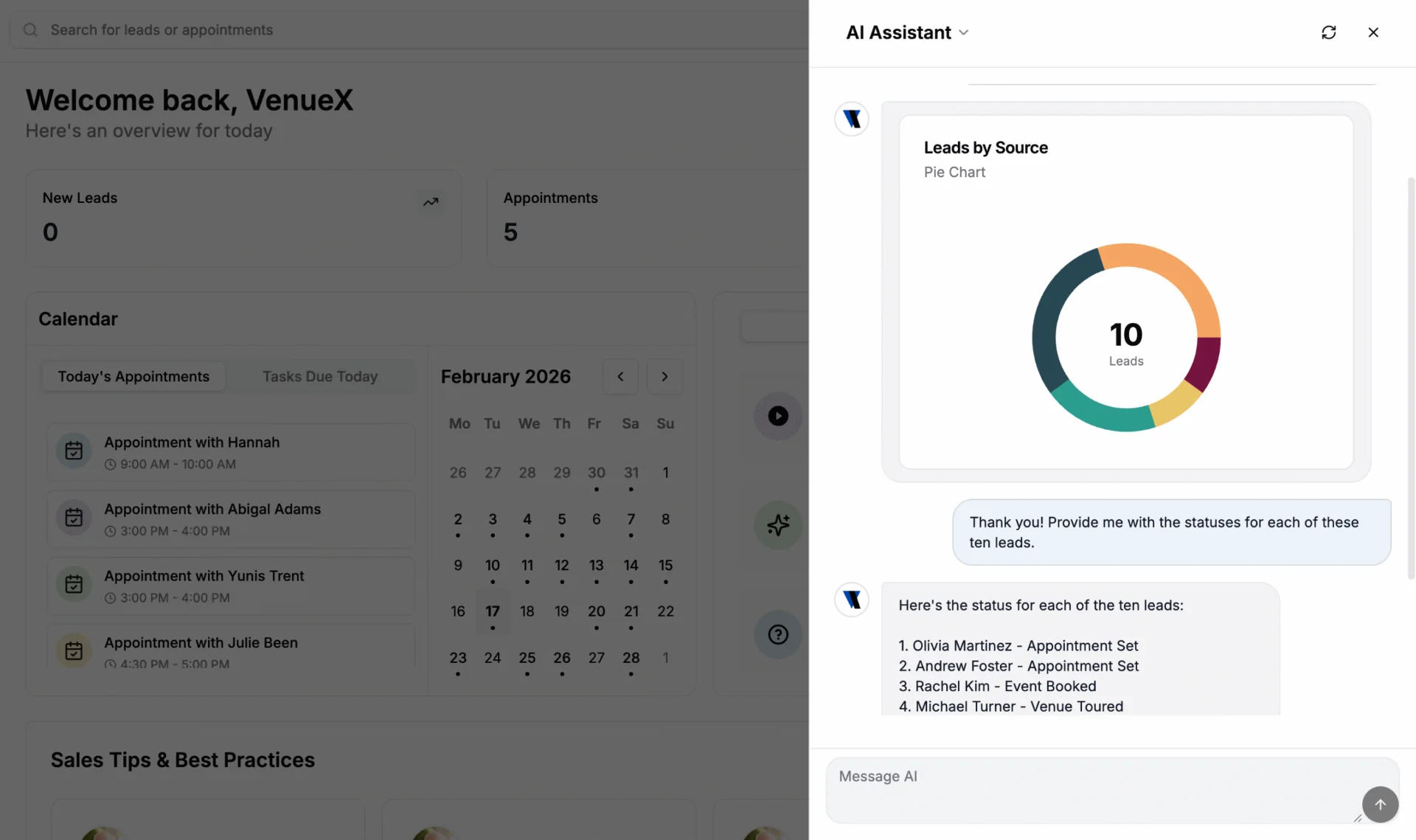
- ▸Q: How many appointments did we run last week?
- ▸A: 14 appointments · 9 weddings, 5 corporate
- ▸Q: Draft a nudge to leads quiet 7+ days
- ▸A: Drafted for 11 leads · review queue
The numbers your GM actually asks for.
Inquiry volume, response time, appointment conversion, booked revenue. The full funnel, by source, by salesperson, by week.
- 01
Live funnel dashboard
Inquiry → reply → appointment → contract → booked. See where the leak is and which channel pays you back.
- 02
Source ROI
Know exactly what each Knot, WeddingWire or Zola dollar returns so renewals are a one-minute decision.
- 03
Salesperson scorecards
Per-rep response time, appointment ratio, and close rate. Coach with data, not vibes.
- 04
Weekly digest
A clean Monday-morning email that summarizes the week and flags the leads worth a personal call.
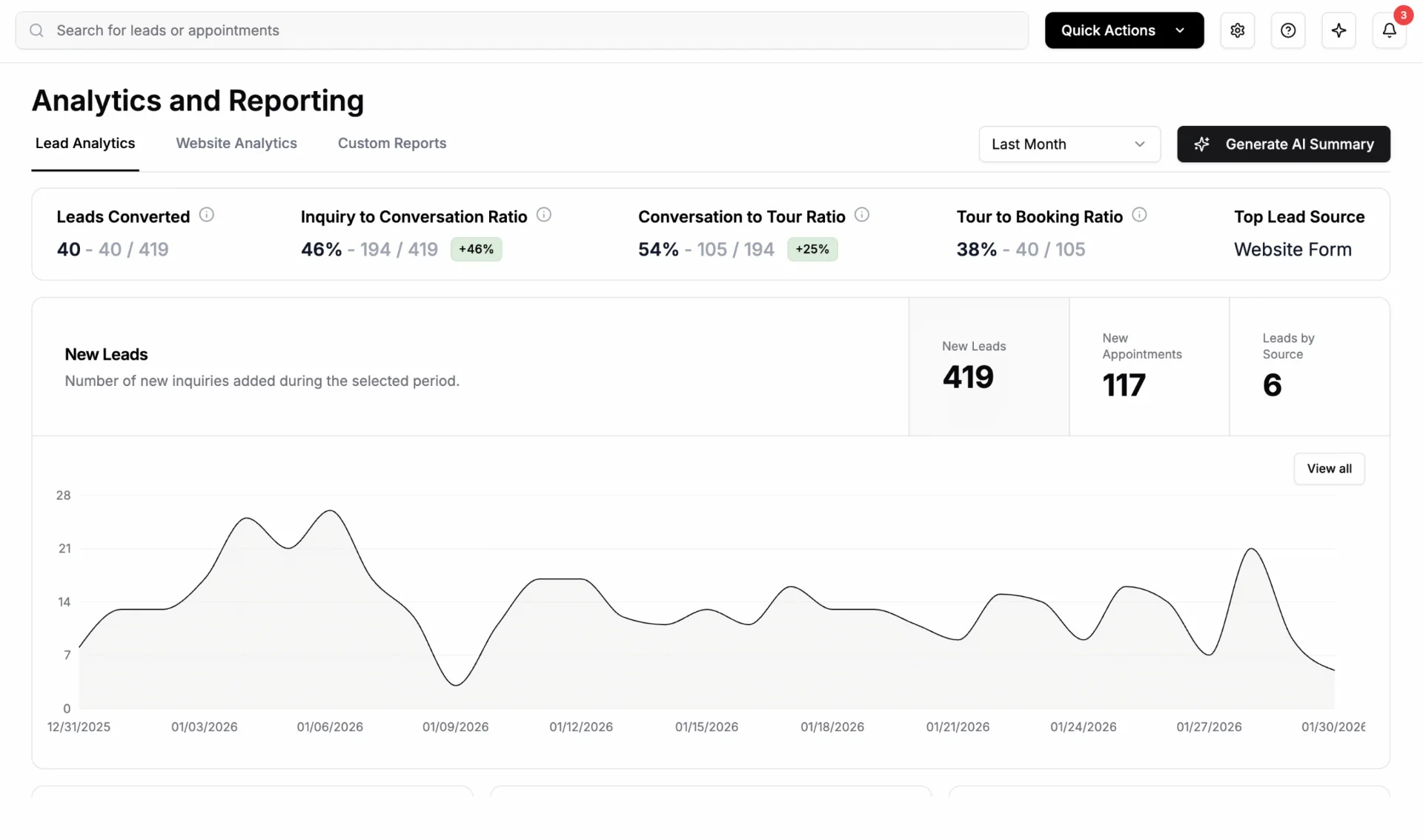
- ▸Inquiries: 132 · +18% vs last week
- ▸Avg first reply: 41 seconds
- ▸Appointment conversion: 28% · +4 pts
- ▸Booked revenue: $184,500
Frequently asked questions.
How each part of the platform works day to day.
What can the VenueX platform actually do?
It covers the full inquiry-to-appointment journey: lead communication across email, text, and chat; appointment scheduling; a venue-specific knowledgebase; agent testing; workflows and nurture campaigns; lead management and routing; Ask AI Anything across your inbox; and analytics and reporting.
How does appointment scheduling work?
The agent reads your real availability, offers open times inside the conversation, confirms the appointment, and writes it to your calendar. It also sends reminders and confirmations to reduce no-shows.
What is the knowledgebase?
It is the source of truth the agent answers from: capacity, pricing ranges, food and beverage minimums, vendor policies, parking, ceremony options, and anything else you want it to know. You can update it any time and the agent responds with the new information immediately.
Can we review messages before they send?
Yes. Draft mode holds every reply for a person to approve. Most teams start in draft mode and switch the agent to autonomous once they trust the responses.
How does agent testing work?
Before go-live we run the agent against realistic inquiry scenarios, from simple date checks to tricky pricing and policy questions, and tune the answers until they match how your team would respond.
What does Ask AI Anything do?
It lets you query your own pipeline in plain language, for example asking which leads have not been followed up with this week or how many Saturday inquiries came in for next fall.
Can we manage multiple properties in one account?
Yes. Multi-property groups can run separate knowledgebases, calendars, and routing rules per venue while reporting on performance across the whole portfolio.
What reporting do we get?
Response times, inquiry volume by source, inquiry-to-appointment conversion, follow-up activity, and appointments booked, so you can see exactly which stage of the funnel is leaking.